In a nutshell: Reports are under the Reports menu, in three groups: Payroll, Sales and General Ledger. Each group opens a list of reports with a line describing what each one shows.
Applies to: Australia. New Zealand has the same three report screens with a different list of reports, plus Reports > IRD.
About
Most reports ask for a period, an entity or a division, then show the result on screen with options to copy it or download it as a CSV file.
This article lists the reports people ask for most. The full list, with a description of every report, is on each of the three report screens.
Quick Reference
| I want to know | Report | Where |
|---|---|---|
| What each employee was paid in a pay period | Payroll Summary Report | Reports > Payroll |
| The net pay and bank details for a pay period | Bank Report | Reports > Payroll |
| Whether a pay run looks unusual | Payroll Variation Report | Reports > Payroll |
| Leave owed to employees | Employee Leave Liability Report | Reports > Payroll |
| Super for a period | Superannuation Report | Reports > Payroll |
| Who has deductions | Employee Deduction Report | Reports > Payroll |
| Payroll tax | Payroll Tax Report | Reports > Payroll |
| Pay against invoicing, and the margin | Pay and Invoice Report | Reports > Payroll |
| Outstanding invoices by client | Aged Trial Balance | Reports > Sales |
| Invoices created but not sent | Created Invoices Report | Reports > Sales |
| Transactions not yet invoiced | Transactions Not Invoiced | Reports > Sales |
| Sales by division or sales person | Sales Report By Division, Sales Report By Sales Person | Reports > Sales |
| The trial balance | General Ledger Trial Balance Report | Reports > General Ledger |
| Ledger movements for a week | General Ledger by Week Ending Report | Reports > General Ledger |
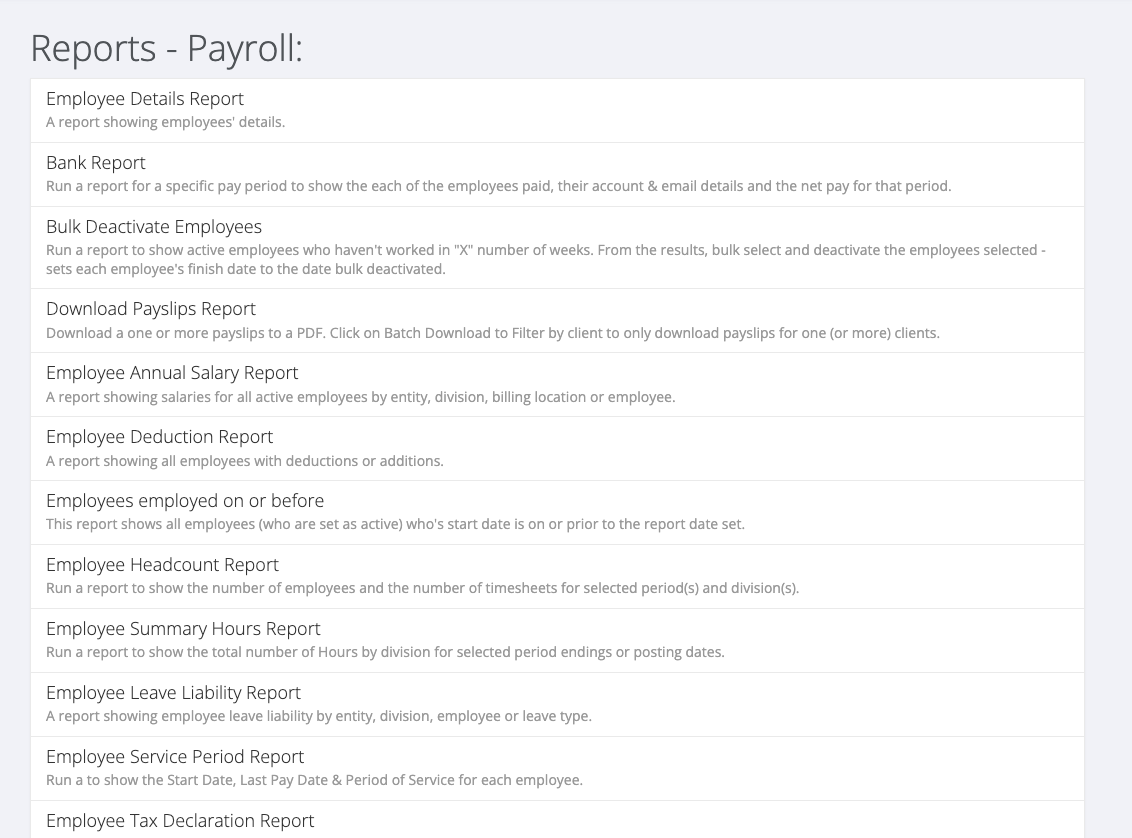
Payroll reports
- Employee Details Report: employees' details.
- Bank Report: the employees paid in a pay period, their account and email details and their net pay.
- Bulk Deactivate Employees: active employees who have not worked in a number of weeks, with the option to deactivate them in bulk.
- Download Payslips Report: download one or more payslips as PDF.
- Employee Annual Salary Report: salaries for active employees. Only shown to users with Permanent access.
- Employee Deduction Report: all employees with deductions or additions.
- Employee Headcount Report: the number of employees and timesheets for selected periods and divisions.
- Employee Summary Hours Report: total hours by division.
- Employee Leave Liability Report: leave liability by entity, division, employee or leave type.
- Employee Service Period Report: start date, last pay date and period of service for each employee.
- Employee Tax Declaration Report: the tax declaration date for each employee.
- Gross Pay By Client Report: gross pay and superannuation by client for each period.
- Last 52 Weeks Pay Run Report: who was and was not paid in each of the last 52 weeks.
- Order Report: all active orders for all clients.
- Pay Code Report and Pay Code Item Report - Global/All Clients: pay codes and their items.
- Payroll Summary Report: a summary for a pay period.
- Payroll Tax Report: payroll tax amounts, wages and superannuation by period.
- Payroll Variation Report: each employee's hours and pay in a pay run compared with their recent average.
- Pay and Invoice Report: pay costs against invoicing, with the margin for each pay transaction.
- Superannuation Report: employees paid in a period and their super amounts.
- Transactions Report: a general report on transactions that you configure yourself.
- WIC Usage Report: gross wages and superannuation for each WIC code.
Sales reports
- Aged Trial Balance: outstanding invoices, aged, by client.
- Commission Report and Commission Report - Detail: commissions by division and period.
- Created Invoices Report: invoices created but not sent.
- Client Billing Location Summary Report: clients, their billing locations and their settings.
- Client Lifetime Sales Report: lifetime sales value for all clients.
- Employee Margin: revenue, costs and gross margin for each on-hired employee.
- Gross Profit by Division Report: gross profit by division for a period ending.
- Invoices & Credit Notes Report: invoices, credit notes or both for a week ending.
- Invoice Breakdown Report and Invoice Details Report: invoices in detail.
- Receipt List Report: receipts and payments received.
- Sales Report By Division, Sales Report By Sales Person and Sales Summary Report: sales summaries.
- Top Temporary Clients Report and Top Ten Clients Report: your largest clients.
- Transactions Not Invoiced: transactions that have not been invoiced.
General ledger reports
- Employee Deductions by Week Ending Report: employee deductions for one or more week endings.
- General Ledger Account Balances Report: debits and credits by employee and GL account.
- General Ledger by Posting Date Report and General Ledger by Week Ending Report: ledger movements.
- General Ledger Trial Balance Report: trial balances by period.
- Manual Pay Journal Report: manual pay journals already created.